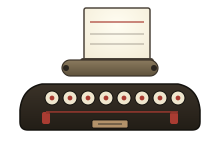
About this tool
This is a virtual typewriter. Type on the paper below and you'll hear the distinctive click of a vintage machine; at the end of each line a clear bell rings, telling you it's time to hit Return — the daily rhythm of every 20th-century typist.
What makes an old typewriter magical is not efficiency but ceremony: feeding the paper into the platen, hearing the bell, shoving the carriage back. This simulator recreates that experience while keeping modern conveniences: backspace works, and you can export your text with one click.
How to use
- Click the paper and start typing
- When the bell rings at line's end, press Enter
- Use Backspace to go back (listen to the carriage), then retype
- Click 'Export' when done to save as a TXT file
FAQ
Where do the sounds come from?
Everything is synthesized live with the Web Audio API: key clicks are short noise bursts, the bell is a decaying harmonic at ~2 kHz, the carriage return is a filtered noise sweep. No audio files are downloaded — it works offline.
Can I export what I typed?
Yes. Click 'Export' to download your text as a .txt file, or just select all and copy.
What if I hear no sound?
Browsers only allow audio after a user gesture, so click the paper or press any key first. Also check your system volume.
Looking for more? Browse our history timeline, the glossary or the brand encyclopaedia.